


Xtool Anyscan
4.089.00 Reviews
App Specs
- Version
- 4.40.61
- Updated On
- License
- Free
- Downloads
- 100,000+
- Developer
- XTOOL
- Categories
- Auto & Vehicles
- Platform
- Android
Screenshots
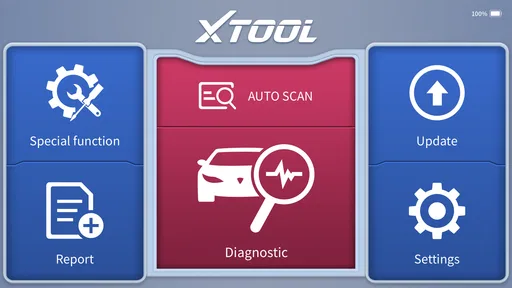
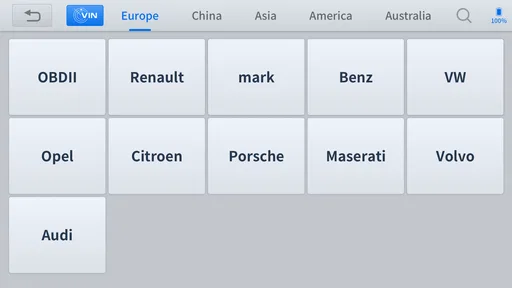
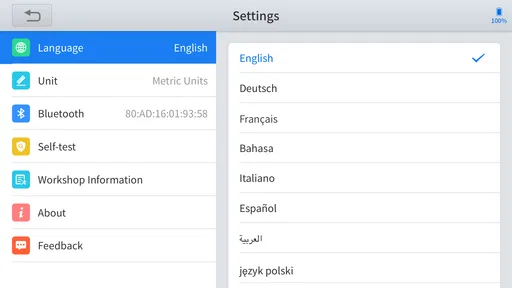
 Analysis by AppCompare
If you are looking at Xtool Anyscan, you are probably trying to answer a practical question: will this app make vehicle diagnosis easier, or will it simply add another layer between you and the car? I approached it as an Auto & Vehicles tool rather than as a general-purpose phone app. Its purpose is to work with XTOOL’s Anyscan OBD diagnostic equipment, giving technicians and confident DIY owners a mobile way to investigate vehicle faults.
That focus matters. This is not an app I would recommend because it has a polished dashboard or because it promises to replace every workshop instrument. I would consider it when I already had compatible XTOOL hardware and wanted a more convenient diagnostic workflow. The app itself is free, is rated for Everyone, and has reached over 100K installs. Those details make it approachable, but they do not remove the need to think about compatibility, diagnostic knowledge, and the cost of the hardware used with it.
In my experience, the best way to judge this app is to separate three questions. First, do you need genuine vehicle diagnostics rather than a simple code reader? Second, are you comfortable interpreting what the car reports instead of treating every code as a ready-made repair instruction? Finally, do you want a phone-based workflow, or would a dedicated scan tablet suit you better? Xtool Anyscan makes the strongest case when the answer to all three points leans toward mobile, hands-on diagnosis.
What I would check before choosing it
Before committing to this setup, I would check whether the XTOOL hardware I plan to use is compatible with my vehicle and whether my phone is reliable enough for a scan beside the car. I would also decide how much diagnosis I actually want to do myself; that distinction helps clarify whether a mobile workflow suits me better than a basic reader or a dedicated scanner.
The hardware relationship comes first
The most important detail is also the easiest to overlook: the application is designed around XTOOL’s Anyscan OBD diagnostic tool. In other words, downloading the app alone does not turn a phone into a complete scanner. Before installing it, I would identify the exact XTOOL interface I planned to use and check that the phone and vehicle setup are suitable for it.
This is a different buying decision from choosing a basic Bluetooth OBD reader and pairing it with a generic code-reading app. With a generic setup, the main attraction is usually low entry cost and simplicity. With Xtool Anyscan, the app is one part of a broader diagnostic arrangement. That can be more useful for serious work, but it also means there is more to verify before expecting results.
I would also treat the app as a diagnostic instrument, not as an automatic mechanic. A trouble code identifies a system or condition that deserves investigation. It does not necessarily identify the failed part. A weak battery, damaged wiring, poor connection, sensor problem, or related system fault can sometimes lead to similar symptoms. The app can help organize the investigation, but the quality of the conclusion still depends on testing and experience.
Worth Reading Before You Choose

EA SPORTS FC Mobile 26 Is a Bigger Football Game, but It Takes Time

Flipboard Shows What News Apps Must Do Beyond the Feed

Switching to Android Auto Means Rethinking Your Driving Routine

Google Calendar Makes a Crowded Week Easier to Manage

Ludo King Makes the Most of the Minutes Between Plans

Baby Panda World Brings Quick Play to Modern Phones, but Its Game Library Feels Busy
Think about the kind of diagnosis you actually need
For a DIY owner, the useful question is not “Can it read codes?” but “What will I do with the information once I have it?” If a warning light appears before a trip, the app may help me understand whether I am dealing with a stored fault that needs attention or a problem that should stop the journey immediately. That is valuable, but only if I am prepared to research the code, inspect the vehicle, and avoid clearing it just to make the dashboard look normal.
For a technician, the decision is more about workflow. A phone can be easier to carry around the vehicle than a larger diagnostic tablet. It may also be convenient when moving between several cars or when a quick scan is needed before a more detailed repair. The trade-off is that a phone-centered interface may feel less purpose-built than a dedicated workshop scanner, especially during long sessions or when comparing many readings.
One practical habit I recommend is to record the situation before connecting anything: warning lights, recent repairs, driving symptoms, battery condition, and the circumstances in which the fault appeared. Then scan before making changes. This creates a useful baseline and prevents the common mistake of erasing evidence before understanding it.
Phone compatibility is part of the decision
The listed minimum operating system is Android 7.0, which gives the app a broad Android starting point. That does not mean every older phone will be comfortable for workshop use. A device with a tired battery, a damaged charging port, a dim screen, or unreliable wireless communication can turn a straightforward scan into a frustrating session.
I would use a phone that can remain stable beside the vehicle, with enough battery for a complete diagnostic session and a screen that is readable outdoors. I would also avoid relying on a borrowed phone at the last minute. Pairing and connection problems are much easier to solve before the car is in an awkward location and the owner is waiting for an answer.
Where the app feels most useful
The clearest strength is convenience. Instead of carrying a separate computer for every basic investigation, I can use a familiar mobile device as the viewing and control point for the XTOOL diagnostic tool. That makes sense for a small workshop, a mobile technician, or a DIY owner who wants more than a single-purpose warning-light reader.
Another advantage is the separation between connecting to the vehicle and interpreting the result. I can approach a scan as a process: establish communication, inspect what the vehicle reports, note the symptoms, and decide what needs testing next. That mindset is more useful than chasing a one-tap “fix,” and the mobile format supports quick checks without making the whole vehicle investigation feel like a major event.
A realistic example would be a car that develops an engine warning light during an ordinary week. I would connect the compatible Anyscan equipment, run the scan, and write down the exact codes and any accompanying information before clearing anything. If the car still drove normally, I could use that information to plan a proper inspection rather than immediately buying a replacement sensor. If the engine ran badly or the warning indicated a serious condition, I would treat the scan as a reason for caution, not permission to continue driving.
That workflow is one of the app’s less obvious benefits: it can discourage random parts replacement when used carefully. The saving is not created by the app magically identifying a repair. It comes from making the first diagnostic step accessible enough that I can gather evidence before spending money.
Useful habits that make the scan better
First, scan before and after a repair, but do not confuse a clean post-repair screen with proof that the vehicle is fully fixed. Some faults return only after a drive cycle or under particular conditions. I would compare the result with the original symptoms and, where appropriate, confirm that the warning remains off during normal use.
Second, keep a simple vehicle log. Note the date, mileage as shown by the vehicle, symptoms, codes, repairs, and whether the code was active or stored when displayed. A scan becomes much more valuable when it can be compared with earlier events. This is especially helpful for intermittent faults that appear, disappear, and return weeks later.
Third, protect the diagnostic session from avoidable interruptions. I would keep the phone charged, limit unrelated notifications, and avoid moving the connector while communication is in progress. If a scan stops unexpectedly, I would not assume the vehicle caused the problem; the connection, phone, interface, or power supply may all deserve checking.
These are not glamorous features, but they are the habits that separate useful diagnosis from code collecting. Xtool Anyscan is at its best when it becomes part of a repeatable process rather than a device I open only after guessing at repairs.
Where a different category may fit better
A generic OBD app paired with an inexpensive reader may be a better choice for someone who only wants occasional engine-code checks and live information. That route can be attractive when the vehicle owner has modest expectations, already owns compatible generic hardware, and does not need a broader diagnostic workflow. I would not choose Xtool Anyscan simply because it is free if my real need is limited to an occasional basic scan.
At the other end, a dedicated professional diagnostic tablet may be a better fit for a busy workshop that performs repeated scans all day. A larger purpose-built device can be easier to manage with gloves, more comfortable for extended use, and more natural in a workflow where the scanner is constantly moving from one vehicle to another. I am not saying the phone approach cannot work professionally; I am saying the convenience of a phone is not automatically the same as workshop ergonomics.
There is also a middle ground: a manufacturer-focused tool for a technician who works mainly on one brand. If the job depends on brand-specific procedures, guided tests, or specialized service functions, I would compare the complete tool ecosystem rather than judging this app in isolation. The right choice depends on the vehicles being serviced and the depth of diagnosis required.
This is where honest expectations matter. Xtool Anyscan should not be selected as a universal replacement for training, service information, electrical testing, or mechanical inspection. Nor would I recommend it to a driver who wants a reassuring green light after clearing a code. A person uncomfortable with basic vehicle safety should leave diagnosis to a qualified professional.
The real cost of switching to this workflow
The app itself is free, which lowers the barrier to trying the software. However, the meaningful cost of switching is not the download. It is the compatible XTOOL hardware, the time spent learning the workflow, and the responsibility of interpreting results correctly. Anyone comparing it with a generic app should compare the complete setup, not just the application price.
There is also a learning cost. A first scan can produce information that looks precise while still being easy to misunderstand. I would expect to spend time learning the difference between a symptom and a root cause, between a stored code and an active problem, and between clearing a code and repairing the condition that caused it. That learning is worthwhile for an owner who wants control, but it may feel excessive for someone who rarely works on cars.
Switching can still be worthwhile when I already use XTOOL equipment or want a more structured alternative to a basic code reader. The phone format makes the system easier to carry and can reduce the friction of performing an initial check. If I were starting from nothing, though, I would first define the vehicles and faults I expect to handle, then decide whether the complete XTOOL route offers enough value over a simpler reader or a dedicated scanner.
How the current app fits into everyday use
The current version is 4.40.61, and the app has been available since June 25, 2023. I see that as a sign that this is an established tool rather than a brand-new experiment, while still keeping my expectations realistic: an app can change over time, and the actual experience depends on the phone, interface, vehicle, and diagnostic task.
The developer is XTOOL, which is relevant because the application is tied to that manufacturer’s diagnostic approach. I would rather use a clearly connected app-and-hardware ecosystem than guess whether a random third-party application will communicate properly with a particular adapter. That does not guarantee that every session will be effortless, but it gives the setup a clearer point of responsibility.
The average rating is 4.0 from around 865 ratings, with 89 written reviews. I read that as a generally positive but not flawless reception. For me, the rating is less important than whether the app matches my equipment and expectations. A four-star diagnostic app can be a better choice than a higher-rated generic reader if it supports the workflow I actually need, while the reverse is also true.
Who should use it, and who should pass
I would recommend Xtool Anyscan to a DIY owner who enjoys learning how a vehicle works, wants more evidence before visiting a workshop, and is willing to use compatible XTOOL equipment. It also makes sense for a technician who values a mobile interface for preliminary checks, fault-code review, and keeping a diagnostic process close to the vehicle.
I would be more cautious recommending it to someone who expects the app to name the failed part with certainty. I would also suggest skipping it if the only goal is to read one occasional engine code and the person already has a suitable generic reader. In that situation, the extra ecosystem may not justify the change.
It is not the right first tool for a driver facing a severe mechanical symptom, a vehicle that will not start, smoke, overheat, or lose braking performance. Those situations require safety-first decisions and, often, professional inspection. A scan can add information, but it should never encourage someone to keep driving a dangerous vehicle.
My recommendation after weighing the trade-offs
My recommendation is conditional but positive: choose Xtool Anyscan if you want a mobile diagnostic companion for compatible XTOOL hardware and you are prepared to interpret its findings responsibly. Its strongest value is not that it makes complex diagnosis effortless. It makes the first steps more convenient, repeatable, and easier to fit into an owner or technician’s normal routine.
I would install it when the hardware relationship is already clear, the phone is dependable, and I have a plan for documenting results. I would not install it as a substitute for a repair manual, a multimeter, professional advice, or common sense. Used alongside those things, it can help me move from a vague warning light to a better-informed next action.
The deciding point is simple: this is a useful diagnostic workflow, not a magic repair button. For the right user, that distinction is a strength. It encourages investigation instead of guesswork. For someone seeking instant answers with no technical involvement, a simpler alternative or a professional workshop will probably be less frustrating. In my view, Xtool Anyscan earns consideration because it gives capable Android users a practical bridge between a basic code reader and a full workshop diagnostic setup.
Pros
- Supports many vehicle brands and professional diagnostic functions.
- Live data helps monitor sensors and identify intermittent faults.
- Works with multiple diagnostic protocols and ECU systems.
- Useful for workshops and experienced DIY mechanics.
- Regular software updates can expand vehicle coverage and features.
Cons
- Requires compatible Xtool hardware to access its diagnostic functions.
- Some advanced features may need paid software subscriptions.
- Vehicle coverage and functions vary by model
- year
- and region.
- The interface can feel complex for users without diagnostic experience.
- Wireless connections may be unstable with certain adapters or vehicles.
FAQs for Xtool Anyscan
What is Xtool Anyscan, and what can it do?
Xtool Anyscan is a mobile diagnostic application designed to work with compatible xTool vehicle diagnostic hardware. After connecting the scanner to a supported vehicle, the app can help read and clear fault codes, display live data, access diagnostic information, and perform selected service functions. Its exact capabilities depend on the vehicle model, control modules, adapter, and subscription or software package available.
Is Xtool Anyscan compatible with my Android or iPhone?
Before downloading Xtool Anyscan, check both the mobile operating system requirements and the supported vehicle list. The application may require a relatively recent Android or iOS version, Bluetooth or internet access, and an account. Compatibility also depends on the specific xTool scanner being used. A phone can install the app successfully but still lack support for a particular adapter, car, or diagnostic function.
Do I need an xTool diagnostic scanner to use Xtool Anyscan?
Yes, Xtool Anyscan is generally intended to operate with compatible xTool diagnostic hardware rather than as a standalone vehicle scanner. The app provides the interface, while the adapter communicates with the car’s electronic control units. You will normally need to pair the device through Bluetooth or another supported connection, create or sign in to an account, and keep the scanner and application firmware up to date.
Can Xtool Anyscan clear warning lights or perform advanced service functions?
The app may read and clear diagnostic trouble codes and can support functions such as oil-service resets, battery registration, electronic parking-brake service, steering-angle calibration, or other special tests on selected vehicles. However, availability is not universal. Some operations require specific hardware, paid access, security authorization, or stable battery voltage. Clearing a code does not repair the underlying mechanical or electrical problem.
Is Xtool Anyscan suitable for beginners, and is it safe to use?
Xtool Anyscan is relatively approachable for basic code reading, but advanced functions require automotive knowledge and careful attention to the instructions. Incorrect coding, adaptations, or module procedures can cause faults or immobilize a vehicle. Use a fully charged phone, maintain stable vehicle voltage, avoid disconnecting during programming, and confirm every action before proceeding. For critical repairs, professional diagnostic assistance is recommended.


